Help photo enthusiast find places to take good photos, wherever they are.
Problem
For visitors who don’t have time to waste, it takes too much time and effort to search for places to take really nice photos in a strange city.
Hypothesis
Design a feature for GramCity to provide users recommended places to take nice photos and photo exemplars for reference.
5-Day Design Sprint:
In the modified version of a GV design sprint, I helped GramCity design a new feature: finding places for photo enthusiasts to take great photos, wherever they are. I am the only designer in the 5-day design sprint.
2 Personas: Nick and Sarah.
Nick loves traveling without a strict plan, documenting his trips with photos, and sharing with friends.
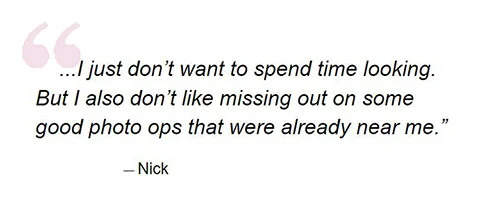
He hates to miss out on good photo ops that already near him.
Nick’s goal is to find great places to take photos without spending time researching or traveling out of the way to find them.
Sarah constantly travels to new cities due to work and likes spending time doing some research and taking good photos.
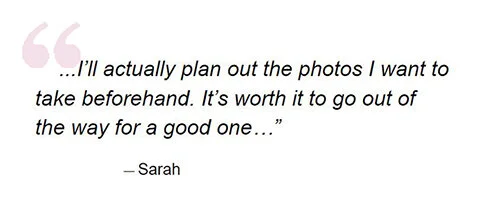
She hates that when she takes time researching and traveling to a place, she couldn’t take good photos as she expects. And she gets frustrated when it takes too long to find detailed information on the places or more photo examples of the place.
Sarah’s goal is to easily find locations and examples of the best photo ops in a city before planning out her day around visiting them.

We interviewed Nick and Sarah to define the problems. (Day 1)
Insights from Nick and Sarah:
For Nick
HMW help Nick so he doesn’t miss out on any good ops near him while enjoying his travel experience?
For Sarah
HMW make sure Sarah gets the best possible photos she expects?
HMW help Sarah find details and photo examples of a place efficiently?
Takeaways: I chose Sarah as my primary user persona because she needs more help.
User Flow to map out a solution
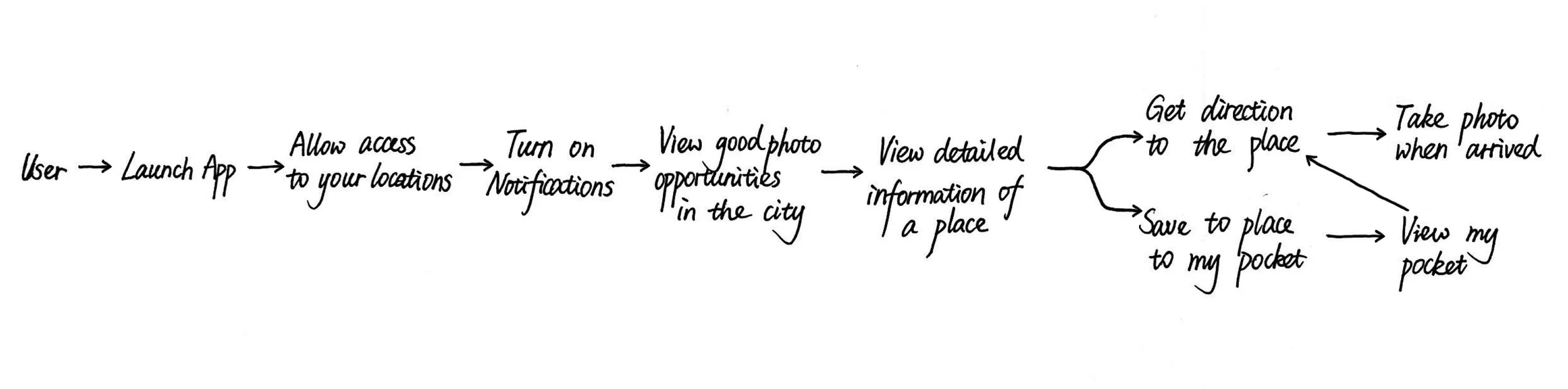
The App had 2 major user maps. Sarah would:
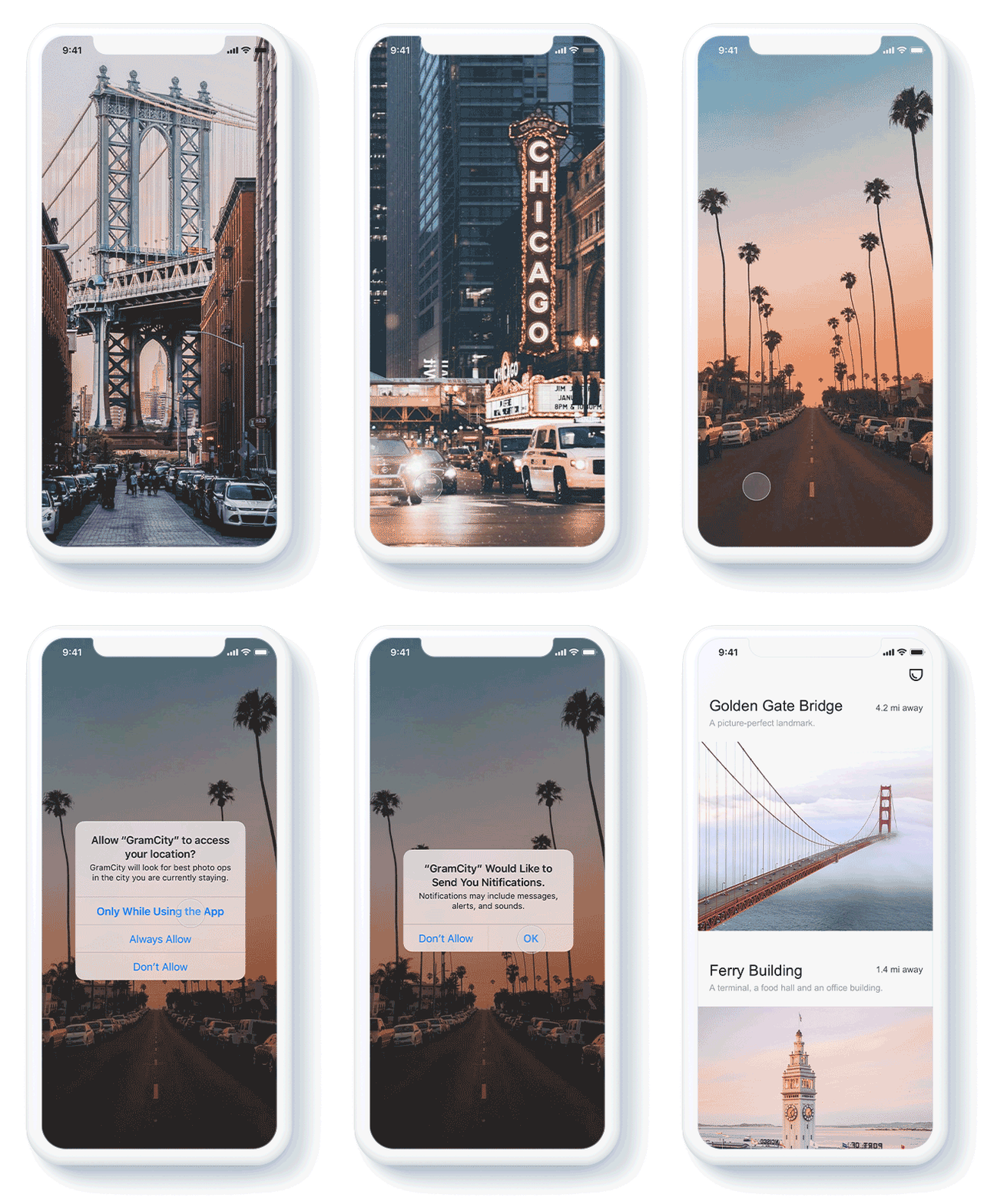
Launch the App upon preparing her visit.
Allow the app to access to her locations
Allow the app to send notifications.
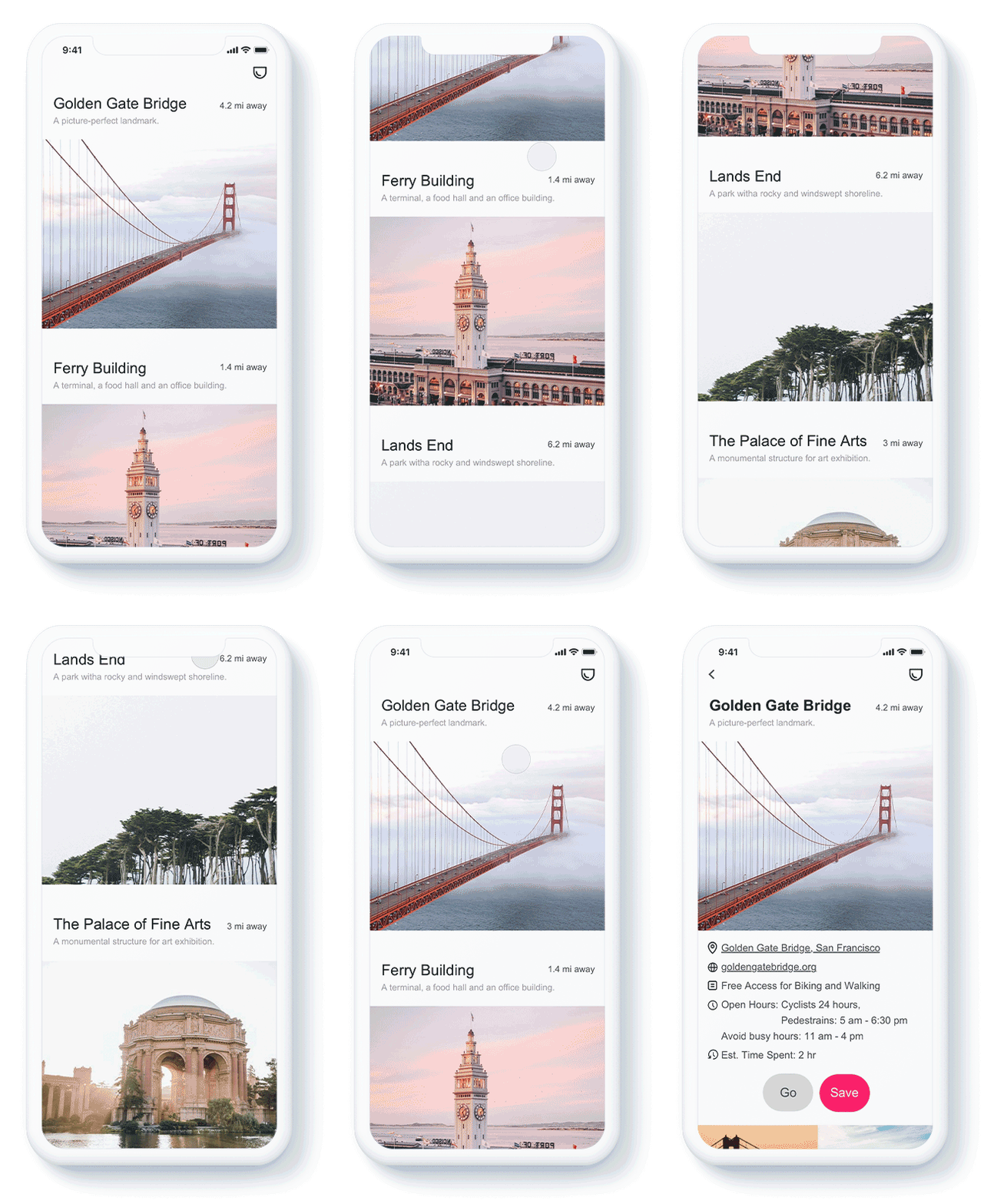
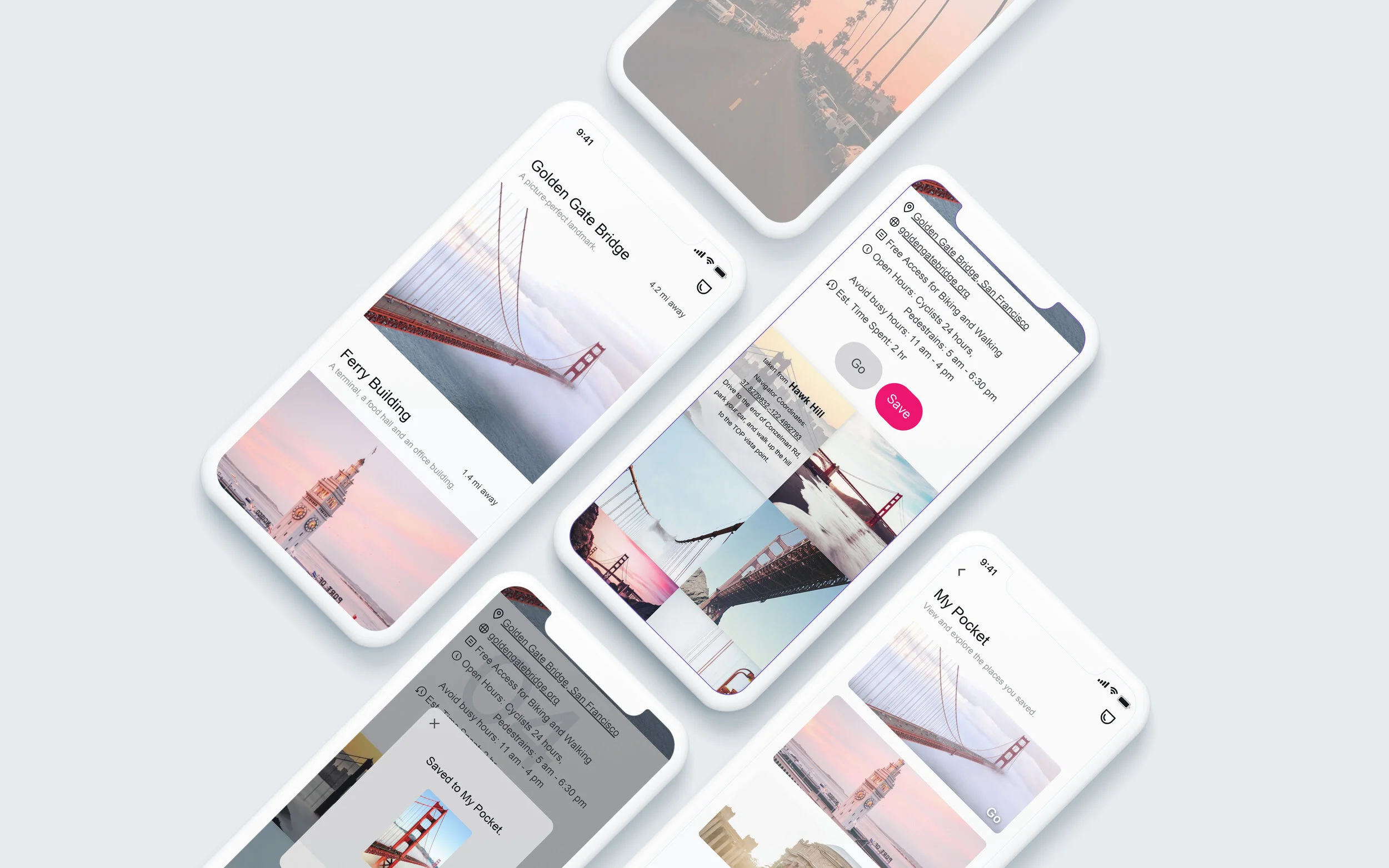
View the most popular places in the city she is currently in.
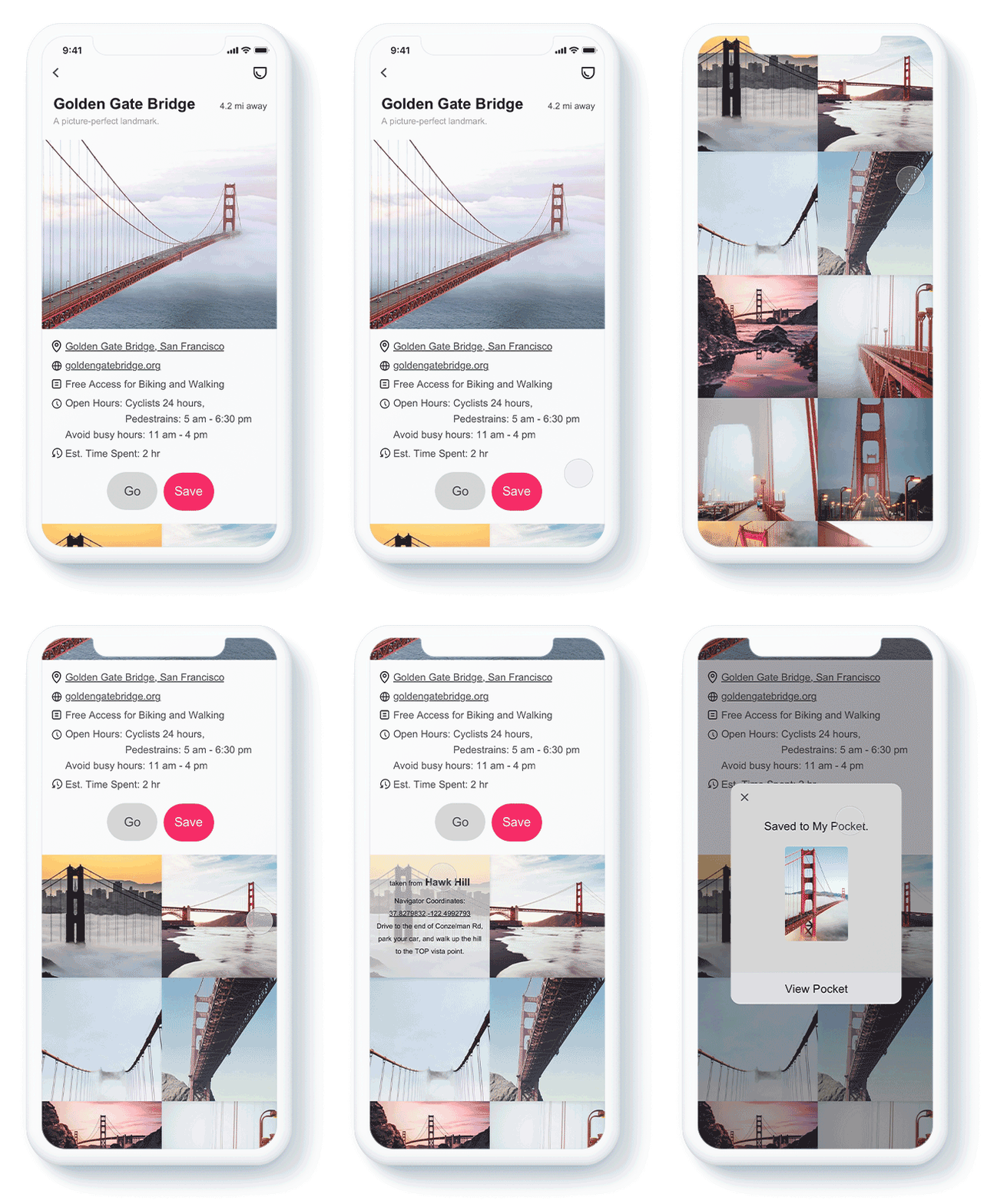
View a detailed page of a place she likes.
Save the place to the “pocket”.
View popular places, see details and save again until she thinks it’s enough.
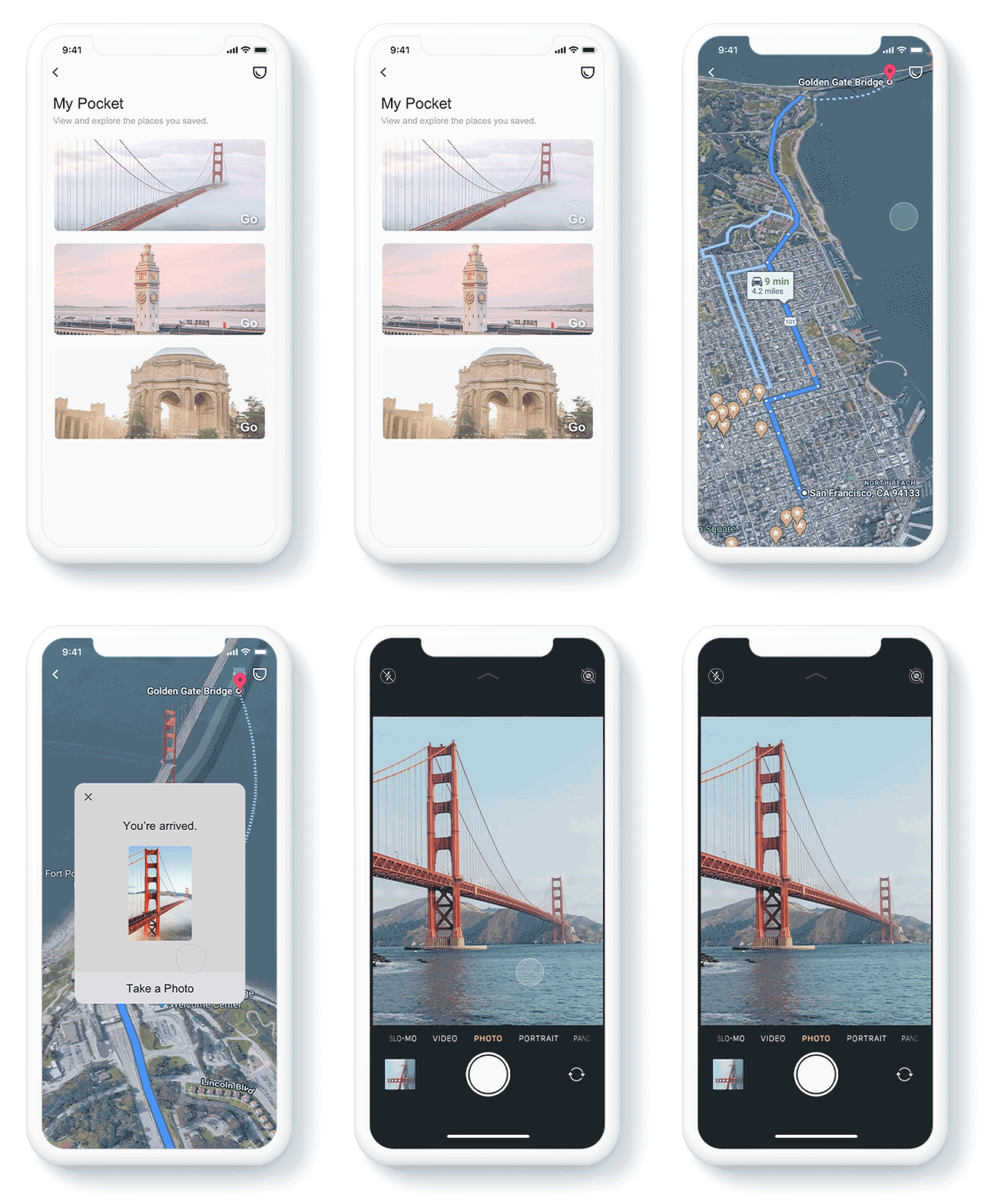
Then she can either view all the places she saved or get directions to a place right away.
Nick would:
Launch the app.
Allow the app to access to your locations.
Allow the app to send notifications.
Get notifications when he is close to a photo opportunity.
Sketching to detail solution (Day 2)
Lighting Demo
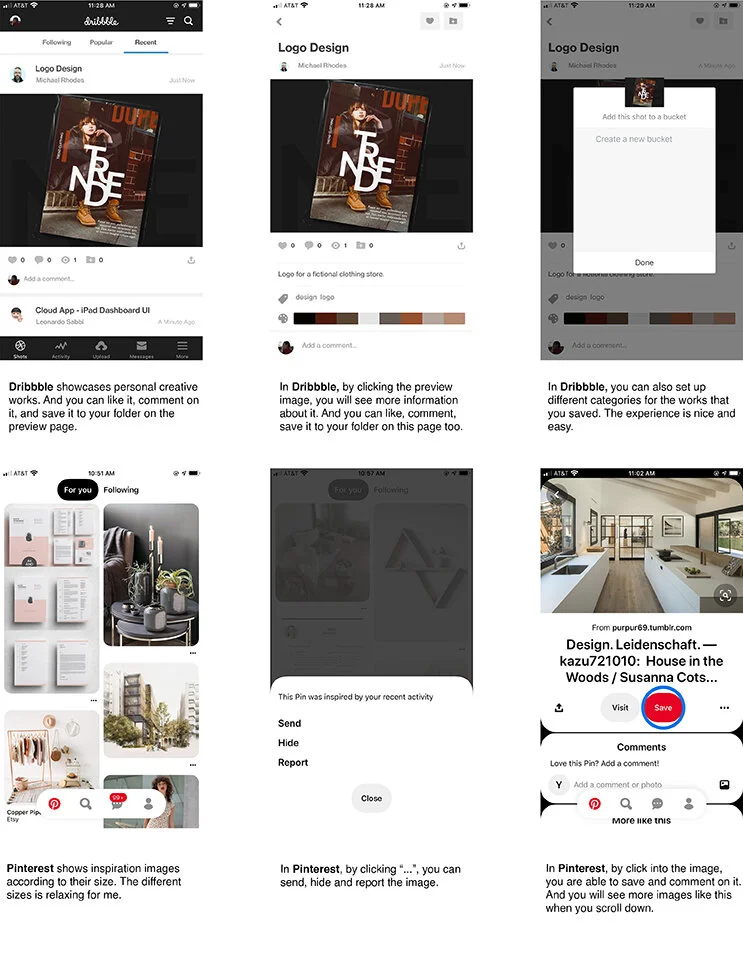
I looked into several other products which solve a problem similar to the one I am solving. And I selected Dribbble and Pinterest as my inspiration.
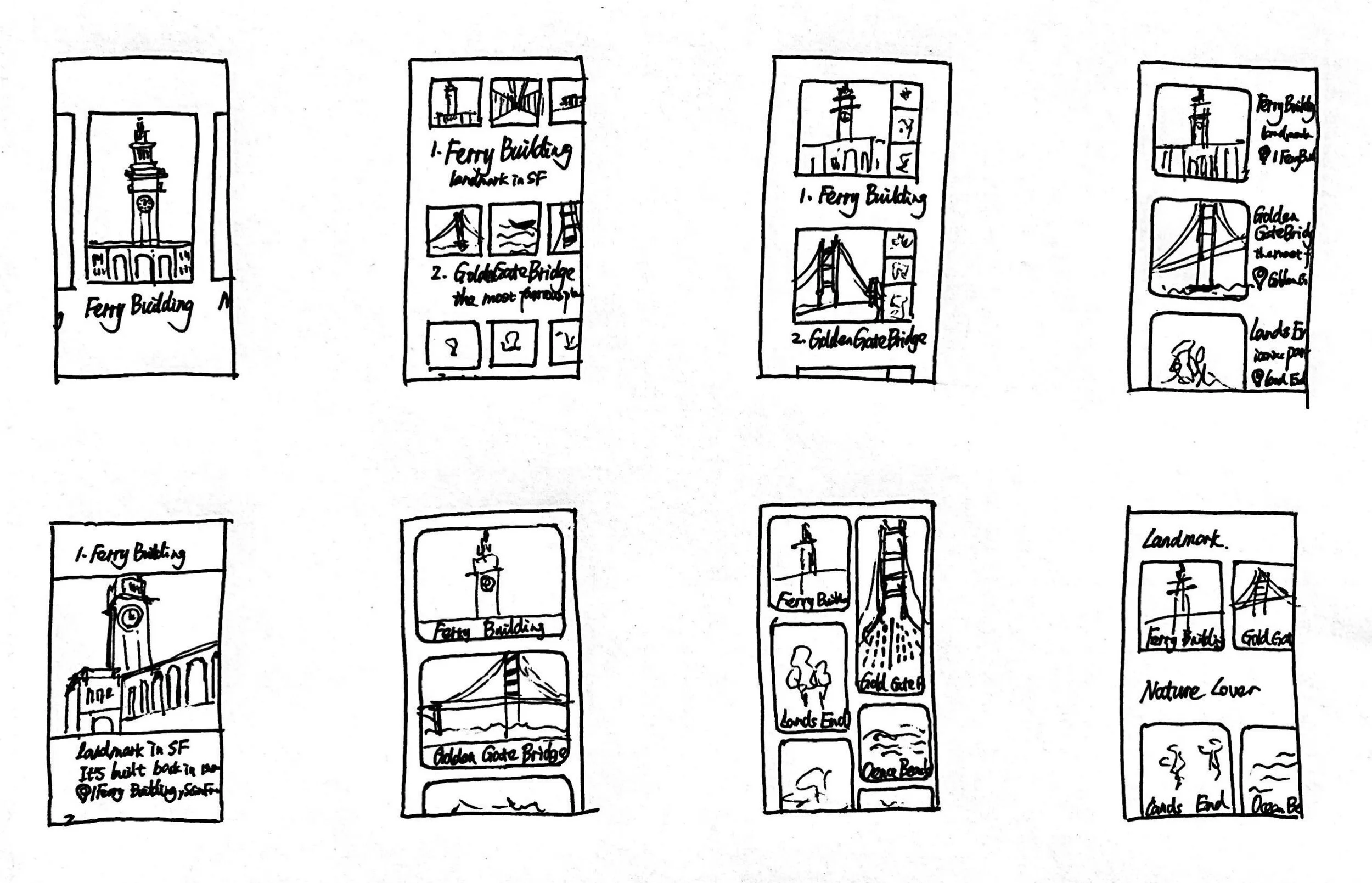
Crazy 8’s of the critical screen
I selected “View the best photo-taken places in this city” screen as the critical screen. Because it is the page that fulfills the main goal of the users - find locations for good photo ops.
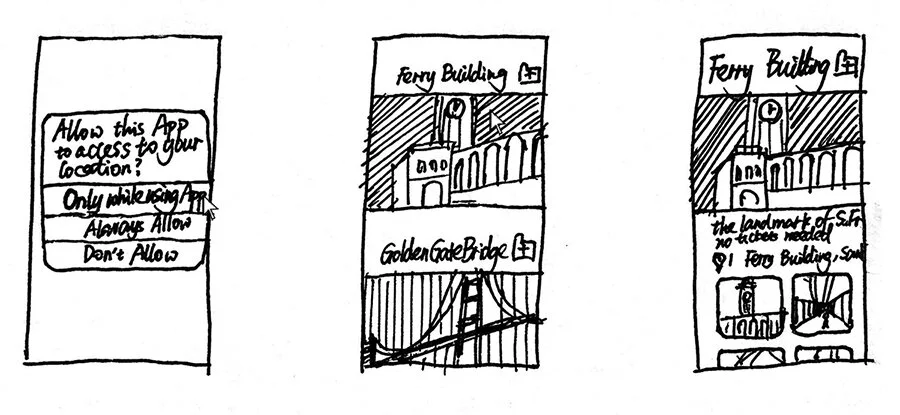
Solution Sketch
I selected the one I think the best from the Crazy 8s and sketched out a solution: a three-panel board of the screen that comes before your critical screen, the critical screen itself, and the screen that comes after your critical screen.
Sketching the storyboard (Day 3)
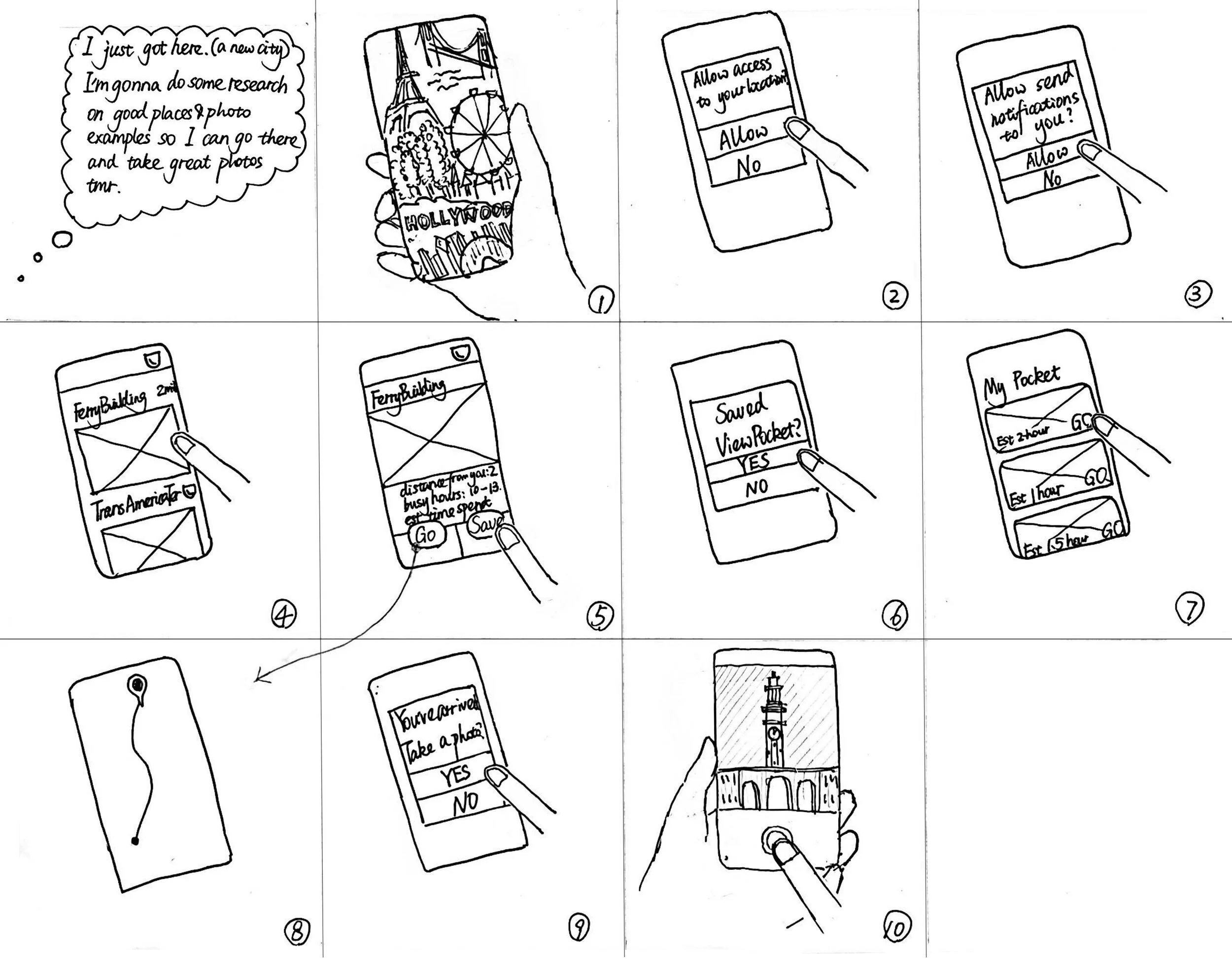
I created the storyboard based on the User Flow on Day 1.
For Sarah, she can view all the places, view details of a place of her interest, and then save the places she likes in the “pocket” for later use. And she can get directions to the place she likes right away.
For Nick, he wants the steps to be minimum. All he has to do is to allow the App to access his location and then turn on notifications so he can get notified when close to an op.
Prototype the solution (Day 4)
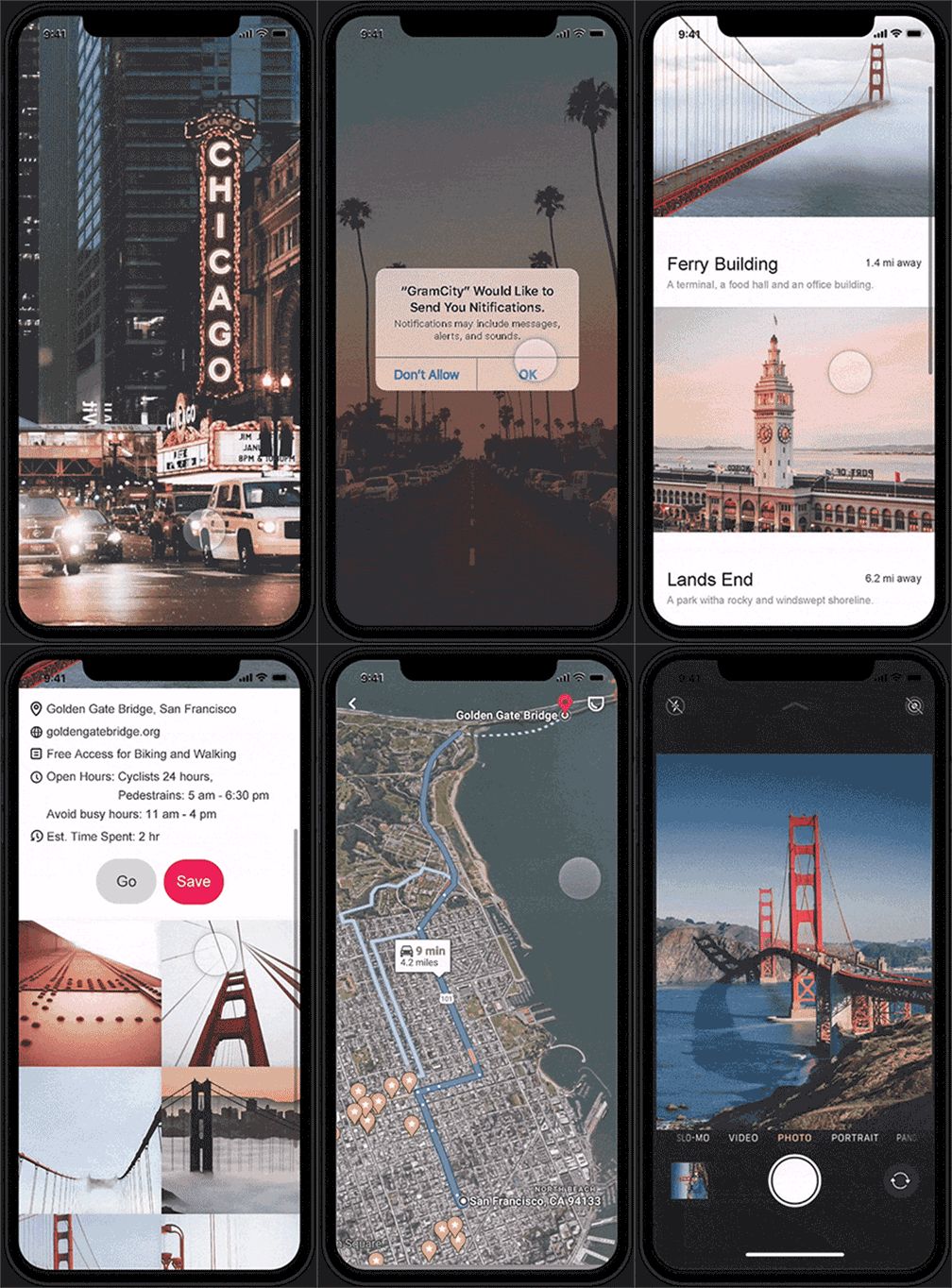
I created the prototype based on the storyboard. My goal is to see if people can complete 2 tasks without effort:
Find places where they can take great photos.
See some examples from the different perspectives of the place.
I want to learn how to help them complete the tasks more successfully.
Validate the solution (Day 5)
I recruited 5 participants from Facebook and LinkedIn. 4 of them are photo enthusiasts. They like to look for opportunities, take great photos, and share with family and friends. The other one takes photos once in a while but likes checking out good photo examples on Instagram.
Result:
100% the participants completed the 2 tasks in 2 mins. There are some “patterns” from their feedback so I can adjust some aspects of the prototype.
Findings:
Parts that people like:
Simple and efficient process.
Combination of the information of the place such as open hours, busy hours, etc.
Parts that need adjustments:
On the photo examples page, add information such as where to take this photo and how people get there.
Show reviews of the photo. See how many likes for a photo.
“Should there be a ranking system of photo examples?” -User A
“I want to see the reviews people have for the photos.” -User B
Add light social media. Give people an opportunity to share their own photos with others.
Add the “My photos” section.
Add more different photo examples with people in it.
Connect and share photos on “Instagram”.
Current Design